> ## Documentation Index
> Fetch the complete documentation index at: https://docs.terminal3.io/llms.txt
> Use this file to discover all available pages before exploring further.
# Claim Your API Key & credits
> Claim your account, key, and test credits in one step — self-serve, no approval.
Eager to start building on our ADK? You will need test credits to use in your contracts and for interactions with the T3 Network.
**No approval, no waitlist.** This is fully self-serve. Sign in with your work email and your developer key plus test credits are issued instantly — you do not need to request access or be granted anything first.
Head over to the [claim page](https://www.terminal3.io/claim-page) and sign in with your work email.
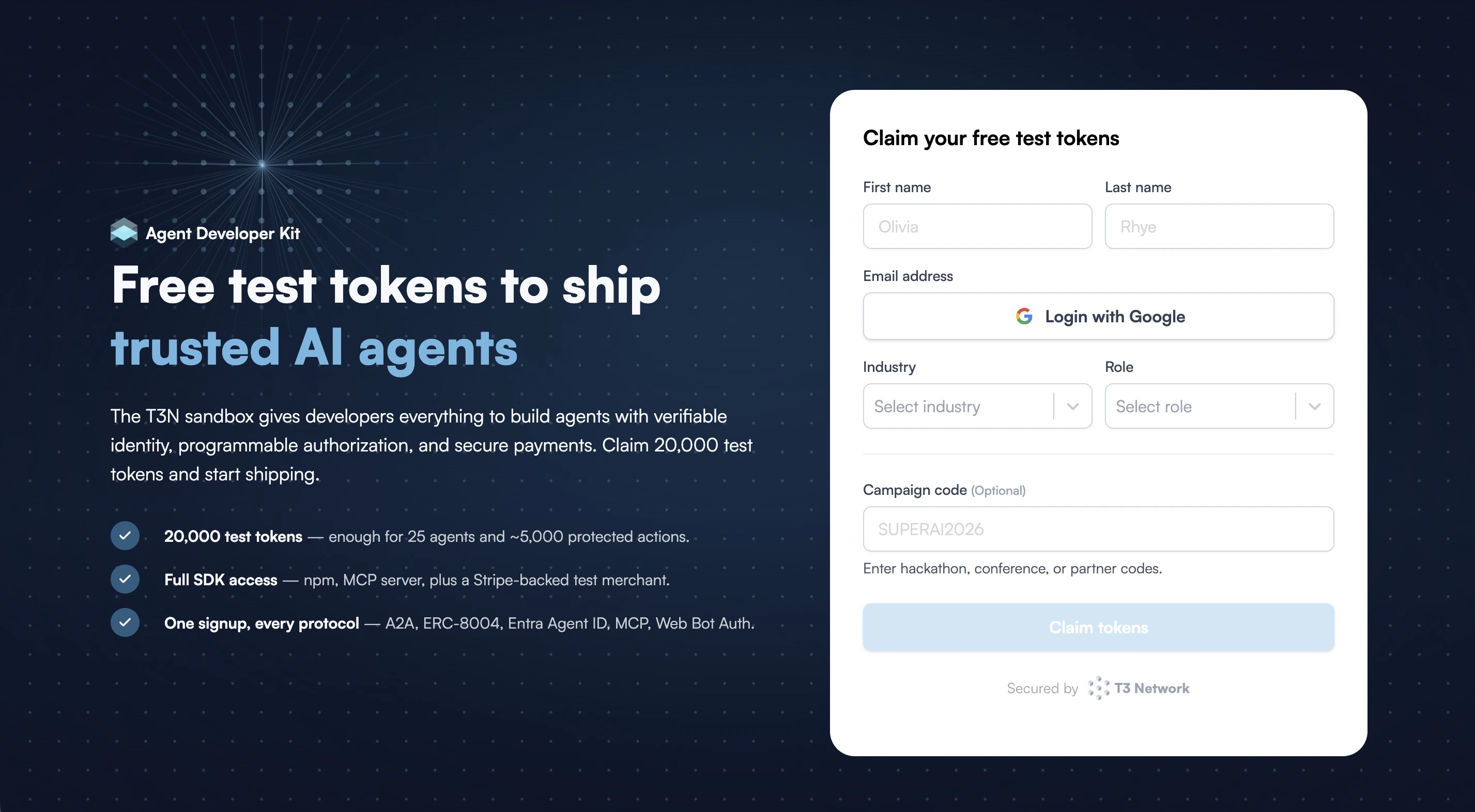 Coming from an event or a campaign? Enter your campaign code to receive additional credits (the amount depends on the campaign).
Once you submit the form, your developer key appears immediately. This is the key the SDK uses to authenticate as you — save it somewhere safe.
During the test phase, the key is shown only once and can't be retrieved after you leave the page. Copy it before you navigate away.
Coming from an event or a campaign? Enter your campaign code to receive additional credits (the amount depends on the campaign).
Once you submit the form, your developer key appears immediately. This is the key the SDK uses to authenticate as you — save it somewhere safe.
During the test phase, the key is shown only once and can't be retrieved after you leave the page. Copy it before you navigate away.
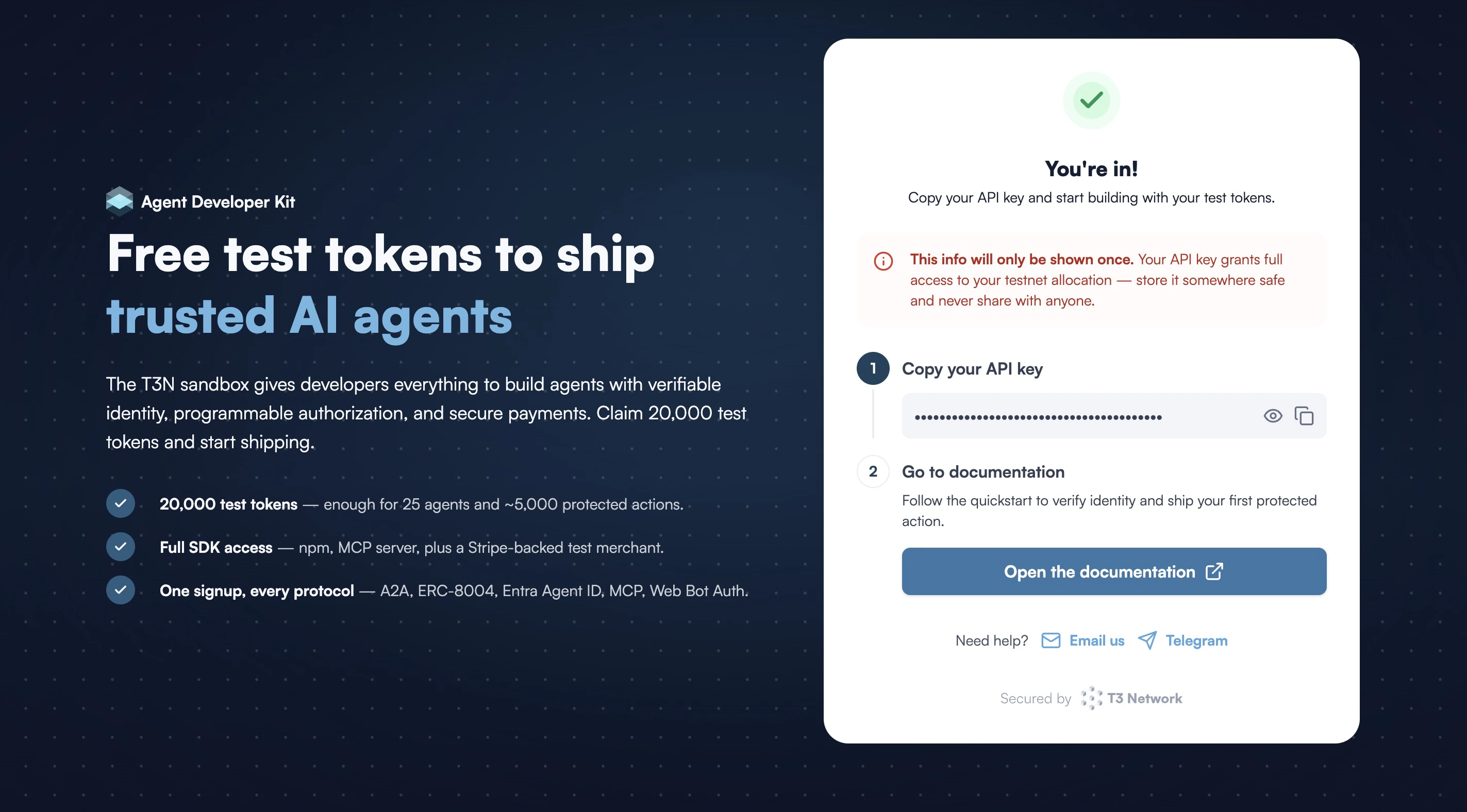 Your unique T3N ID (`did:t3n`) and test credits are generated and linked to this key automatically.
That's it — you're ready to build. Let's [set up your development environment](/developers/adk/get-started/prerequisites/set-up-dev-env), then follow the [walkthrough](/developers/adk/get-started/walkthrough/write-contract).
If you encounter any issues during this process, please refer to [Common errors](/developers/adk/tips/common-errors) or do not hesitate to drop us an email at [devrel@terminal3.io](mailto:devrel@terminal3.io).
Your unique T3N ID (`did:t3n`) and test credits are generated and linked to this key automatically.
That's it — you're ready to build. Let's [set up your development environment](/developers/adk/get-started/prerequisites/set-up-dev-env), then follow the [walkthrough](/developers/adk/get-started/walkthrough/write-contract).
If you encounter any issues during this process, please refer to [Common errors](/developers/adk/tips/common-errors) or do not hesitate to drop us an email at [devrel@terminal3.io](mailto:devrel@terminal3.io).