

No approval, no waitlist. This is fully self-serve. Sign in with your work email and your developer key plus test credits are issued instantly — you do not need to request access or be granted anything first.
1
Sign in and claim
Head over to the claim page and sign in with your work email.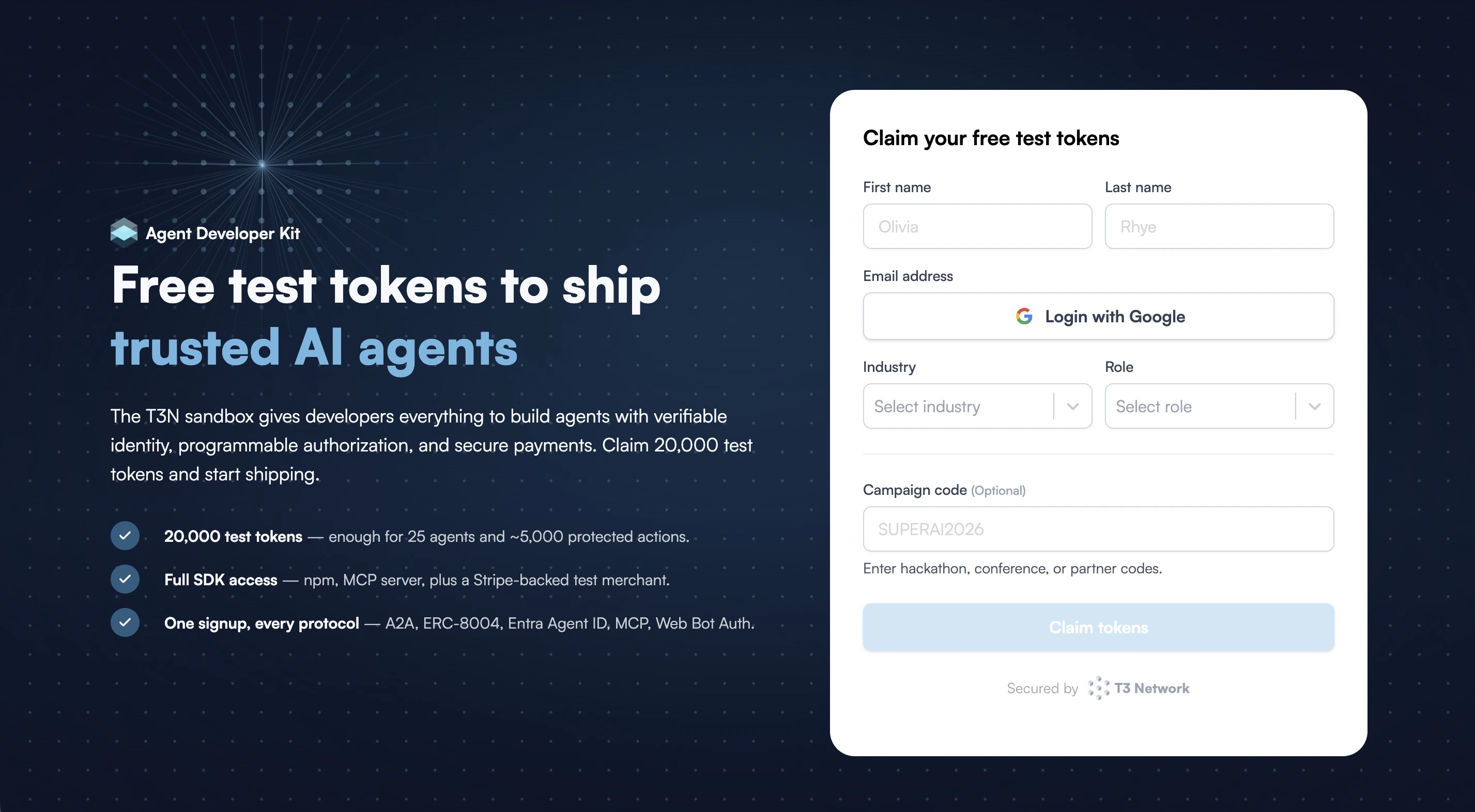
2
Copy and store your developer key
Once you submit the form, your developer key appears immediately. This is the key the SDK uses to authenticate as you — save it somewhere safe.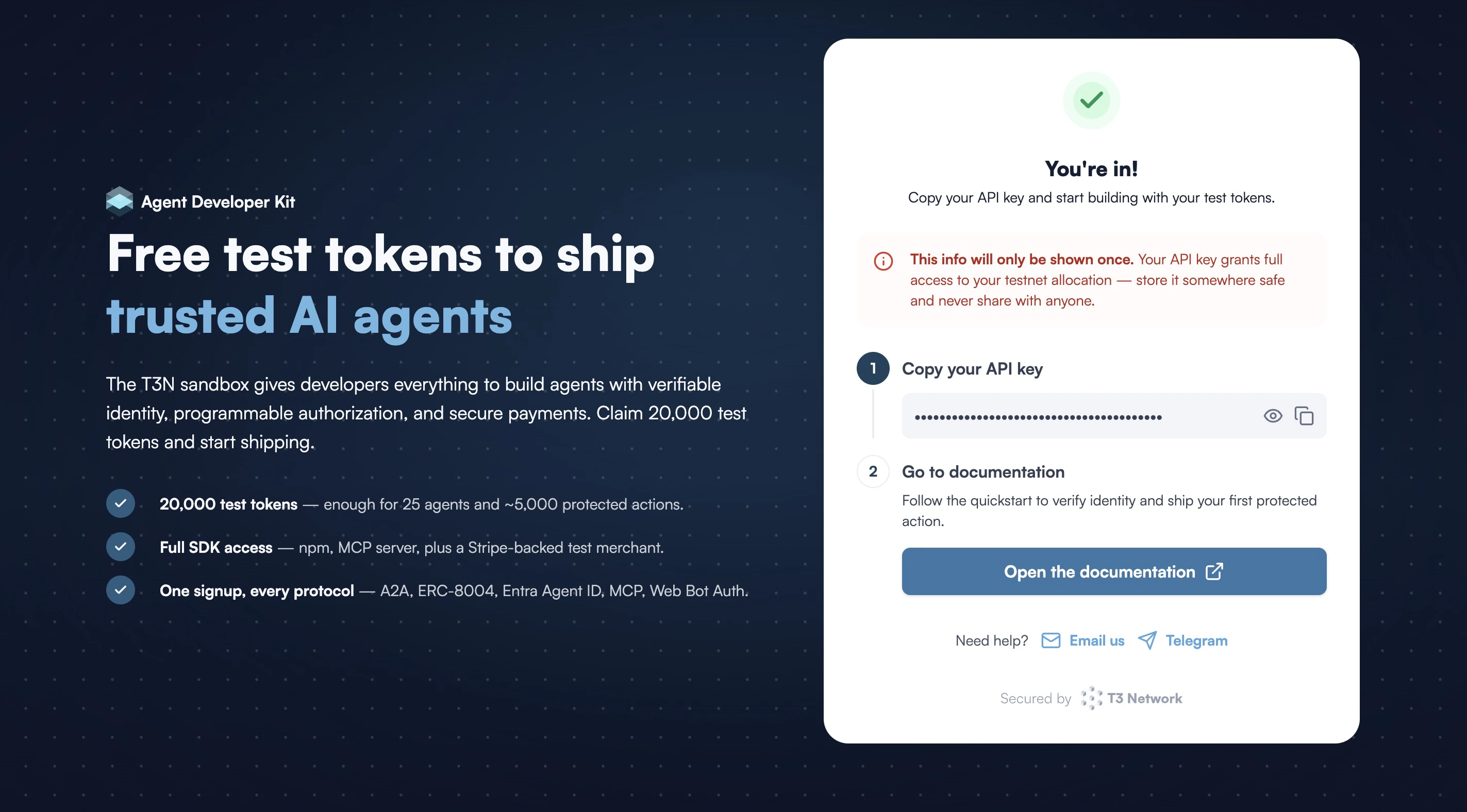
did:t3n) and test credits are generated and linked to this key automatically.3
Start building
That’s it — you’re ready to build. Let’s set up your development environment, then follow the walkthrough.